
Download Outfit – fitness app, nutrition planner, healthy eating, workout plans, meal planning, calorie tracker, diet plans, personalized fitness, healthy recipes, home workouts
Overview
Outfit, developed by Zapunt Apps, is a free lifestyle application designed for Android users seeking a personalized approach to fitness and nutrition. The app aims to simplify the journey toward healthier living by combining tailored workout plans with customized meal strategies. It begins with a fitness assessment that evaluates the user’s current physical condition, helping to determine an appropriate starting level.
Based on this evaluation, Outfit generates individualized training regimens that evolve as users progress. The platform also offers a nutrition component that includes a personalized eating plan aligned with dietary preferences such as paleo, vegetarian, vegan, keto, or low-carb. Users can explore over 600 healthy recipes, each with step-by-step instructions and integrated shopping lists.
This integration supports real-world application by making meal preparation more accessible and efficient. The app is particularly suited for individuals looking to adopt sustainable lifestyle changes through structured, user-friendly tools. It is ideal for beginners and intermediate users aiming to improve physical health, manage weight, or maintain consistent routines without relying on external trainers or complex systems.
Key Features & Capabilities
- Personalized Fitness Assessment – A built-in fitness test evaluates strength, endurance, and flexibility to determine the user’s current level and set a baseline for progress tracking.
- Custom Workout Plans – Tailored training schedules adapt to user goals and available time, offering structured sessions that can be completed at home.
- Over 600 Healthy Recipes – A diverse recipe library supports various dietary needs, with detailed instructions and ingredient lists to simplify meal prep.
- Meal Planning Tools – Users can organize weekly meals, adjust portion sizes, and generate shopping lists based on selected recipes.
- Diet-Specific Plans – Support for popular dietary lifestyles including paleo, vegetarian, vegan, keto, and low-carb ensures inclusivity and personalization.
- 350+ Exercises with Difficulty Levels – A comprehensive exercise database allows users to select routines based on intensity and available equipment.
- Progress Tracking – The app monitors improvements over time through repeated fitness assessments and user input.
These features work together to create a cohesive ecosystem where users can seamlessly transition from planning to execution. For example, a user following a vegan diet can select plant-based recipes, schedule home workouts using low-impact exercises, and track weekly progress through updated fitness evaluations. The app’s modular design enables users to focus on one area at a time—nutrition, fitness, or both—while maintaining alignment across goals.
User Interface, Workflow & Performance
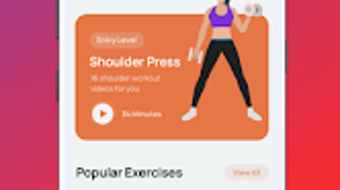
The user interface of Outfit appears to be designed with simplicity and accessibility in mind. Navigation is structured around core functions: fitness, nutrition, and progress tracking, allowing users to switch between sections with minimal effort. The layout likely emphasizes visual clarity, with intuitive icons and step-by-step guidance to reduce friction during onboarding.
Workflow efficiency is supported by features such as one-tap recipe addition to meal plans and automatic shopping list generation. The app’s performance is expected to be responsive on modern Android devices, though exact performance metrics were not specified. Resource usage details, including CPU and RAM consumption, were not provided by the developer.
Stability is assumed to be consistent for a mobile application of this nature, given the absence of reported issues in publicly available information. Users can expect smooth transitions between screens and minimal lag during routine tasks such as recipe browsing or plan editing. However, actual behavior may vary depending on device specifications and background processes.
Compatibility & System Requirements
Outfit is available exclusively for Android devices. The current version is 2.1.1, with an installation size of 48.8 MB. This relatively compact footprint suggests efficient resource management and minimal storage impact.
The developer did not provide additional system requirements, including minimum Android version, processor specifications, or RAM thresholds. Compatibility information is limited to the operating system, with no indication of support for iOS, Windows, or other platforms. Users should verify device compatibility through the Google Play Store before downloading.
While the app is designed for mobile use, it does not appear to support desktop environments or cross-platform synchronization. The lack of detailed hardware or software prerequisites means users should rely on standard Android compatibility guidelines when installing.
Pros and Cons
Pros
- Free to download and use with no in-app purchase barriers
- Comprehensive integration of fitness and nutrition planning
- Personalized approach based on fitness level and dietary preferences
- Large library of healthy recipes with shopping list functionality
- Support for multiple diet types including vegan, keto, and paleo
- Home-friendly workouts with no equipment required
- Progress tracking through periodic fitness assessments
Cons
- No information provided about cross-platform availability
- Limited to Android, excluding iOS and desktop users
- Exact system requirements not disclosed
- No mention of offline functionality or data sync capabilities
- Performance behavior on older devices remains unspecified
FAQ Section
Is Outfit available for iOS devices?
As of the latest release, Outfit is only available for Android. There is no official iOS version currently listed by the developer.
Can I use Outfit without an internet connection?
The developer did not specify whether the app supports full offline functionality. Core features such as recipe viewing and workout access may require connectivity for content loading.
Are the workout plans suitable for beginners?
Yes, the app includes fitness assessments to determine entry levels and offers beginner-friendly routines with adjustable difficulty. Workouts can be performed at home with minimal or no equipment.
How often are updates released?
Update frequency is not publicly disclosed. Users are advised to check the Google Play Store regularly for new versions and improvements.
Is my personal data secure when using Outfit?
The developer did not provide specific details about data privacy or security practices. Users should review the app’s privacy policy and permissions during installation.
Final Thoughts
Outfit presents a well-rounded, user-focused solution for individuals aiming to improve their health through personalized fitness and nutrition. Its combination of a fitness test, adaptive workout plans, and a robust recipe database makes it a practical tool for daily lifestyle management. The inclusion of multiple diet-specific options enhances accessibility for diverse user needs.
While the app is limited to Android and lacks detailed technical information, its core functionality is solid and purpose-built. The free pricing model further increases its appeal, especially for users seeking a no-cost entry point into structured wellness planning. For those committed to building sustainable habits, Outfit offers a clear path from assessment to execution.
The lack of cross-platform support and transparency around system requirements are notable limitations, but they do not overshadow the app’s strengths in personalization and usability. Download Outfit now to start your journey toward better health with tools designed for real-life application.
Download Outfit now







